🎙️ Opening Monologue
It’s the middle of the night, and I’m staring at infrastructure I didn’t build.
No templates. No history I can trust. Just resources created in moments of urgency — clicked into existence, patched by memory, and kept alive by habit. It works, but only because no one touches it.
Late nights make this kind of inheritance heavy. You can’t tear it all down. You can’t pretend it doesn’t exist. But you also can’t move forward without taking responsibility for it.
Tonight isn’t about rebuilding from scratch. It’s about adoption. About bringing existing infrastructure under management without breaking what’s already running. About turning something fragile into something deliberate.
You can’t manage what you refuse to claim.
🎯Episode Objective
This episode aligns with the Terraform Associate (004) exam objectives listed below.
- Import existing infrastructure into your Terraform workspace
- Describe when and how to use verbose logging
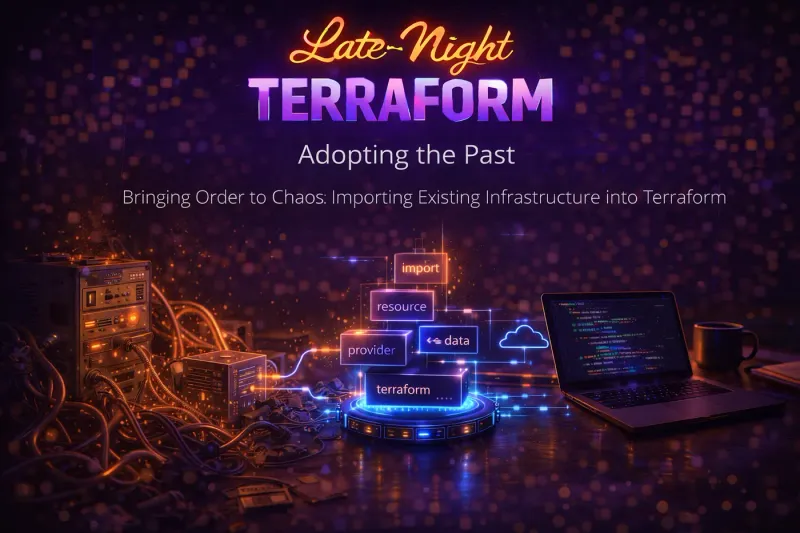
The Archaeology of Cloud: Why Bringing Legacy Resources Under Control Matters
In the real world, Terraform is rarely introduced on day one. More often, infrastructure already exists created manually, via scripts, or by other tools.
The Problem: “Dark Infrastructure”
Most cloud environments suffer from Dark Infrastructure — resources created through “ClickOps” (the cloud console), emergency patches, or legacy scripts.
- The Split Reality: You have a clean Terraform repository that says everything is perfect, but the actual cloud contains manual security groups, unencrypted buckets, and “zombie” instances that Terraform doesn’t even know exist.
- The Visibility Gap: Because these resources aren’t in the State File, they are excluded from the Dependency Graph. Terraform cannot tell if deleting a managed VPC will break a manually created database.
Governance: The “Wall” of Terraform Control
Governance features in HCP Terraform and the CLI only work on what they can “see.”
- Policy Enforcement (Sentinel/OPA): Policies like “All S3 buckets must be encrypted” only scan the Plan and State. If a bucket was created manually and never imported, your policy check will return a “Pass” even while an insecure bucket sits live in your account.
- Cost Estimation: You cannot accurately forecast your monthly spend if 40% of your resources are unmanaged. Import brings those costs into the HCP Terraform dashboard.
- Drift Detection: You cannot detect “Drift” on a resource that isn’t managed. Once imported, if someone manually changes a setting in the console, Terraform will flag it in the next run.
Import as a “Control Operation”
It is important to remember that Importing is non-destructive. It is a mapping exercise, not a creation exercise.
- State vs. Infrastructure: Import updates the State, not the cloud. It tells Terraform: “See that existing Bucket ‘X’? You are now responsible for it.”
- No Downtime: Because it doesn’t touch the live resource, there is zero risk of a reboot or service interruption during the import process itself.
- Establishing the “Base”: Once the import is finished, the next
terraform planbecomes your “Truth Check.” It will show you exactly how your code differs from the real-world resource you just brought in.
The Controlled Ingress: Understanding the terraform import Workflow
In modern Terraform, the process of bringing existing infrastructure under management has evolved from a manual, “blind” CLI command to a declarative, code-driven workflow.
The Traditional Way: terraform import Command
terraform import is an imperative command that modifies your state file immediately.
- How it works: You must first manually write a
resourceblock in your code that matches the existing resource. Then, you run the command:terraform import <ADDRESS> <ID>(e.g.,_terraform import aws_s3_bucket.my_bucket my-existing-bucket-name_) - The Risk: There is no “dry run” or preview. If you make a mistake, the state is updated instantly.
- The Manual Burden: You have to guess the attributes of the resource to write the HCL code yourself. If your code doesn’t match the real-world resource, the next
planwill show a “replace” or “update” action.
The Modern Way: The import Block
import block turns imports into declarative code. It allows you to treat an import like any other infrastructure change: you plan it, review it, and then apply it.
Syntax:
import {
  to = aws_s3_bucket.my_bucket
  id = "my-existing-bucket-name"
  # WHICH provider handles it? (Optional, used for aliases)
  provider = <provider>.<alias>
  count = <number>       # mutually exclusive with for_each
  for_each = { ... }
}to: This is the destination address in your Terraform configuration. It must point to a resource that is defined (or about to be generated) in your .tf files.id: The unique identifier defined by the cloud provider (e.g., an AWS Instance ID, an Azure Resource ID, or an S3 bucket name).provider: Used if you have multiple configurations for the same provider (aliases). It ensures the import uses the correct credentials and region.for_eachandcount: Used to bulk-import dozens of similar items
Generating Configuration Automatically
Terraform can now “guess” what your HCL code should look like. Instead of writing resource blocks by hand, you can let Terraform do the heavy lifting using the -generate-config-out flag.
The Workflow:
- Create an
imports.tffile with animportblock identifying the resource. - Run the plan command to generate the code:
terraform plan -generate-config-out="generated_resources.tf" - Review and refine the generated file.
Note: Terraform’s “best guess” isn’t always perfect. You may encounter Conflicting Resource Arguments (e.g., a resource providing both an ipv6_count and a list of ipv6_addresses). You must manually prune these conflicts before the final apply.
Configuration Generation Limitations
Treat generated HCL as scaffolding, not gospel. Recommended cleanup steps:
- Remove computed-only attributes
- Simplify defaults
- Normalize naming
- Split into modules
- Align with organization standards
Terraform optimizes for correctness, not elegance.
Common issues:
- Mutually exclusive arguments (e.g.,
ipv6_address_countvsipv6_addresses) - Provider schema complexity
- Legacy resources with deprecated fields
Terraform will still generate code — but you must fix conflicts manually and re-run terraform plan.
Advanced Discovery: The terraform query Command
While the standard import block requires you to know the ID of the resource, the terraform query command (and .tfquery.hcl files) allows you to search your cloud provider for resources based on filters, tags, or types.
Defining a Query
list "<TYPE>" "<LABEL>" {
  provider = <provider>.<alias>
  count = <number>       # mutually exclusive with for_each
  for_each = { ... }
  include_resource = true
  limit = 100
  config {
    # provider-specific filters
  }
}TYPE: Resource type to queryLABEL: Logical name for referenceprovider: Required; selects provider configfor_eachandcount:Controls query repetitioninclude_resource: Returns full resource objectslimit: Max results (default 100)config: Provider-specific filters (tags, names, regions)
Query Output Options
- Human-readable output:
terraform query - Machine-readable output:
terraform query -json
The Reality Check: Limitations and Risks of Importing Resources
Importing infrastructure into Terraform is not magic — it is bookkeeping.
Critical limitations to understand:
- State-only operation: Import updates the state file only. Terraform does not validate whether your configuration fully matches the real resource until the next
plan. - Exact configuration matching is required: After import, Terraform expects your
.tfcode to represent the entire desired state. Missing arguments will appear as drift. - Some resources are partially importable: Certain provider resources expose only subsets of attributes or rely on computed defaults that are difficult to model declaratively.
- Lifecycle side effects: If the generated or written configuration differs, Terraform may propose: In-place updates, Forced replacement, and Destructive changes
- No safety net Terraform does not know which fields were “intentional” in ClickOps. It assumes code is authoritative.
Rule of thumb:
Import during low-risk windows and always review the first plan as if it were a production change.
The Forensic Lens: Troubleshooting Import and State Alignment Issues
Importing resources can be finicky, especially with complex cloud permissions. To see exactly what the Terraform Provider is seeing, use environmental variables to trigger verbose logging.
Enable logging
Terraform provides detailed logs that are disabled by default. You enable them by setting the TF_LOG environment variable to a specific Log Level.
export TF_LOG=DEBUGSupported levels (Ordered by Verbosity):
TRACE: The most verbose. Shows every internal step and raw API response. (Warning: Outputs can be massive).DEBUG: Concise internal details. Perfect for finding where a plan is hanging.INFO: General messages about the execution process.WARN: Non-critical issues (e.g., using deprecated syntax).ERROR: Only critical errors that halt execution.
JSON logs
export TF_LOG=JSON⚠️ JSON logs are not a stable API and may change without notice.
Advanced Logging Controls
TF_LOG_CORE→ Terraform engine onlyTF_LOG_PROVIDER→ Provider plugins onlyTF_LOG_PATH→ Persist logs to a file
Always include logs when reporting Terraform bugs.
🌙 Late-Night Reflection
We rarely get the luxury of a clean slate. Most of our work is spent making peace with decisions made by people who are no longer in the room. Learning to bring the past under control without destroying it is the ultimate test of an engineer’s patience and skill.
✅ Key Takeaways
- The Workflow: To import, you need the resource’s ID from the cloud provider and a matching resource block in your code.
- Modern Import: The
importblock (added in v1.5) allows you to plan your imports and even generate code automatically. - The Drift: Terraform
planwill show “drift” if someone changed a resource manually in the AWS/Azure console.
📚 Further Reading
- Import existing resources documentation
- Enable Terraform logs documentation
🎬 What’s Next
The sun is almost up. We’ve built, secured, and scaled — but none of it matters if it only works for one person.
We’ll zoom out and see how Terraform becomes a shared system for teams, governance, and collaboration.